Reverse Image Search
Upload a photo to find similar images, the original source and where it appears online. Free, fast and private.
Each search opens in a new tab. Try more than one, they find different results.

Share any photo to PhotoSearch Pro, keep your history and turn on private search.
How to reverse image search
Three steps, no sign-up. Works on iPhone, Android, Windows and Mac.
Add your image
Upload a photo or screenshot, drag it in, paste it with Ctrl+V, or paste an image link.
Click search
We prepare your photo in a few seconds and give you a choice of search engines.
See the matches
Open Google Lens, Bing, Yandex or TinEye to see similar images and the pages that use them.
What you can do with it
A picture can tell you more than you think.
🕵️ Spot fake profiles
Check whether a dating or social media photo belongs to someone else before you trust it.
📰 Check if a photo is real
Find the first time a picture appeared online and catch old photos shared as new news.
🔎 Find the original source
Track down the photographer, artist or website a picture came from, and get a larger version.
🛍️ Find products
See a jacket, lamp or pair of shoes you like? Find where to buy it and compare prices.
©️ Protect your photos
See who is using your pictures without permission across the web.
🌍 Identify places and things
Name a landmark, plant, animal, painting or logo from a single photo.
Get PhotoSearch Pro for Android
Everything on this site and more, right on your phone.
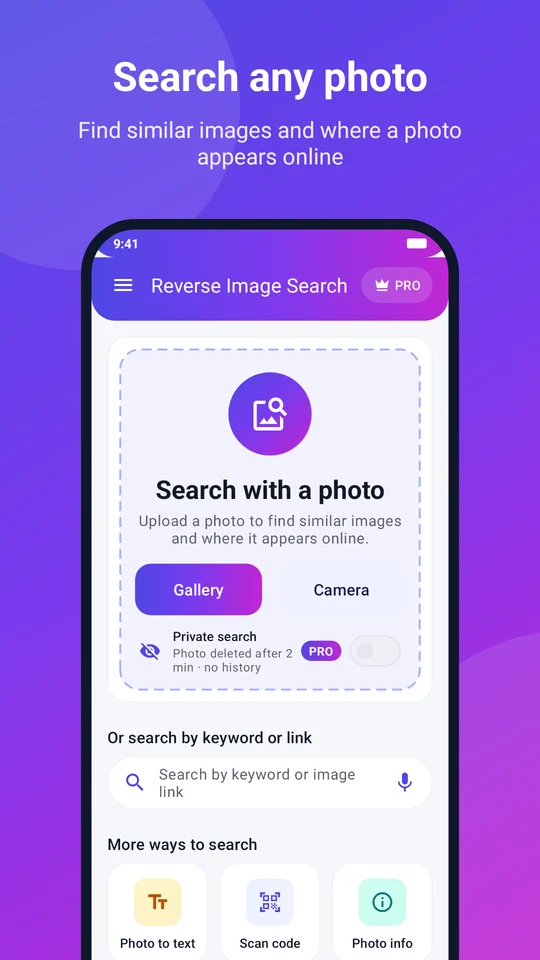
- Search any photo from your gallery or camera in one tap
- Share a picture from any app straight into a search
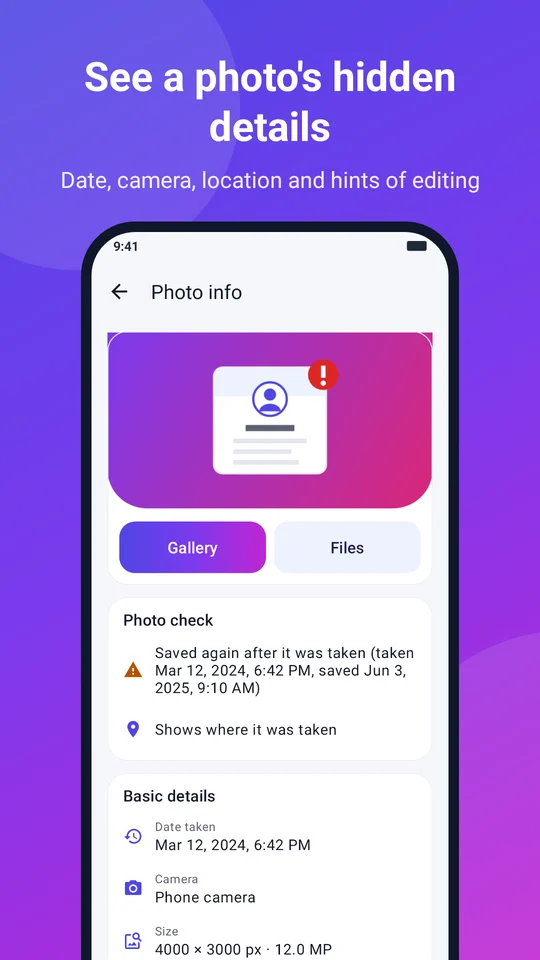
- See a photo's hidden details and signs of editing
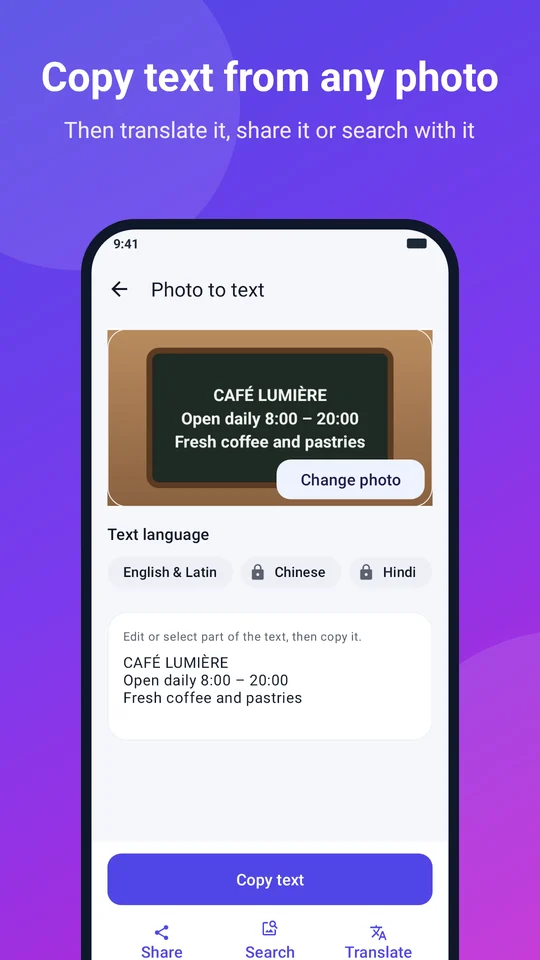
- Copy text from photos and scan QR codes
- Private search: your photo is deleted after 2 minutes
More free photo tools
They run in your browser, so your photo never leaves your device.
Photo info
See when and where a photo was taken, the camera used and signs of editing.
Open Photo info →What is reverse image search?
A normal search starts with words. A reverse image search starts with a picture. You give the search engine an image and it looks for pictures that look the same or similar, then shows you the web pages where they appear. It's also called search by image or reverse photo lookup.
Search engines don't read a picture the way we do. They turn it into a kind of fingerprint made of shapes, colors and patterns, then compare that fingerprint with billions of images they have already seen. That's why a cropped, resized or slightly edited copy of a photo can still be found.
Which search engine should I use?
Each engine has its own index, so the best results often come from trying more than one:
- Google Lens is the best all-rounder for products, places, plants, animals and text in images.
- Bing often finds shopping results and different web pages from Google.
- Yandex is strong at finding the same scene or place from other angles.
- TinEye looks for exact and edited copies, and can sort them by the oldest, which helps find the original.
Tips for better results
- Crop to the subject. If you want to identify a person's jacket, crop out the rest of the photo.
- Use the best quality you have. A sharp, larger image gives better matches than a tiny thumbnail.
- Try a screenshot. If you can't save an image, a screenshot works just as well.
- Check the dates. When results show the same photo, the oldest one is usually closest to the source.
What reverse image search can't do
It can only find pictures that are public and already indexed by a search engine. Photos from private accounts, chats or very new posts may not show up. No result does not prove a photo is original, and a match does not always tell you who took it. Use it as one clue among others.
Your privacy
To let search engines see your photo, we upload it to a temporary image host over an encrypted connection. It is deleted automatically after 10 minutes, and we don't keep a copy or a history of your searches. Read our privacy policy for details.
Frequently asked questions
What is reverse image search?
Reverse image search lets you search the web with a picture instead of words. It finds visually similar images, other copies of the same picture and the web pages where it appears.
Is this reverse image search free?
Yes. PhotoSearch Pro is free to use with no sign-up and no daily limit.
What happens to the photo I upload?
Your photo is uploaded to a temporary image host so search engines can open it, and it is deleted automatically after 10 minutes. We never keep a copy.
Can I reverse image search on my phone?
Yes. This page works in any mobile browser: tap the upload box to choose a photo or take one with your camera. On Android you can also use the free PhotoSearch Pro app.
Can I use a screenshot?
Yes. Screenshots work well. Crop to the part you care about, such as a face, product or logo, for better matches.
How do I check if a profile picture is fake?
Save the profile photo or take a screenshot, upload it here and search with each engine. If the same picture appears under other names, on stock photo sites or on an old account, the profile may be using a stolen photo.
Why did I get no results?
The picture may be new, private or rarely shared online. Try another search engine, crop the image to the main subject, or use a higher quality version.